
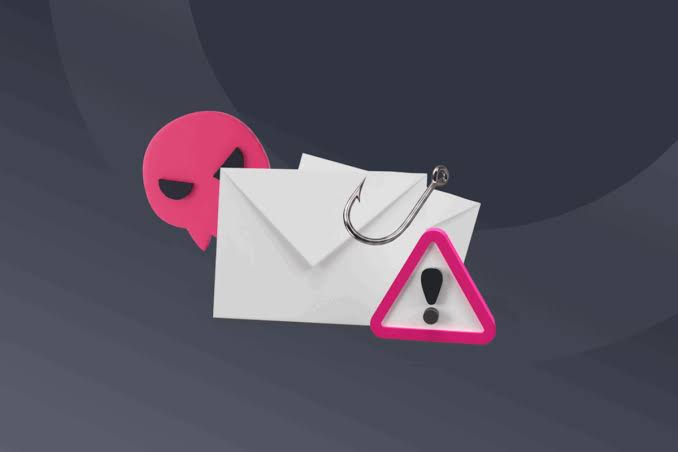
Frequent fake emails become dangerous when they create enough urgency, curiosity, or fear to make someone act before checking the message. A phishing email may imitate a bank, employer, delivery company, online store, government service, or familiar contact.
The safest habit is simple: verify the request independently before sharing information, opening unexpected files, or signing in.
Check the Sender Beyond the Display Name
A message may display a familiar company name while coming from an unrelated address. Look closely at the full sender information, especially unusual spelling, extra characters, or domains that don’t match the organization being impersonated.
General digital safety reading can help build broader awareness, but never treat an unfamiliar email itself as proof that the sender is legitimate.
Attackers can also imitate a colleague’s or manager’s name, so familiarity alone isn’t enough.
Slow Down When a Message Creates Pressure
Phishing works partly by shortening the time people give themselves to think. Messages may claim an account will be closed, a payment failed, a package is waiting, or immediate action is required.
Reading broader online awareness topics can reinforce safer browsing habits, but suspicious requests should be checked through a trusted route. Open the organization’s official app or type its known address yourself instead of following an unexpected email link.
| Warning Sign | Possible Risk | Safer Response |
|---|---|---|
| Urgent deadline | Pressure tactic | Verify independently |
| Unexpected attachment | Malicious file | Don’t open it |
| Login request | Credential theft | Use official app/site |
| Payment change | Financial fraud | Confirm another way |
Inspect Links Before Using Them
Link text can hide a completely different destination. On a computer, hovering over a link may reveal where it leads. On other devices, use available preview features carefully without opening the destination.
Even when a link looks convincing, avoid signing in through it if the email was unexpected. Navigate to the account using a saved bookmark, official application, or address you already know.
The same caution applies to QR codes included in suspicious messages.
Verify Sensitive Requests Through Another Channel
Requests involving passwords, verification codes, bank details, gift cards, invoices, or confidential documents deserve extra scrutiny. If the email appears to come from someone you know, contact that person using a phone number or messaging channel you already trust.
Practical internet safety guidance may support general awareness, but verification should rely on trusted contact information rather than details supplied inside the suspicious message itself.
This simple separation can defeat many impersonation attempts.
Where Phishing Detection Goes Wrong
People sometimes rely on grammar mistakes as the main warning sign. That is no longer enough. A fraudulent email can be polished, correctly spelled, branded professionally, and written in a believable tone.
The reverse is also true: an awkwardly written email isn’t automatically fraudulent. Instead of searching for one magical clue, evaluate several signals together—sender identity, requested action, destination links, timing, attachments, and whether the request makes sense.
Frequently Asked Questions
Can a phishing email look completely professional?
Yes. Appearance alone doesn’t establish legitimacy. Logos, formatting, names, and professional language can be copied or imitated. Verify the sender and requested action independently, especially when the message involves credentials, payments, or sensitive information.
What should I do with an unexpected login email?
Avoid using the email’s login button. Open the service through its official application, saved bookmark, or known website address and check the account directly. If the message was fraudulent, report or delete it according to your organization’s procedures.
Is it safe to open a suspicious email without clicking anything?
Simply viewing a message is different from following its links, opening attachments, downloading files, or entering information. Email systems vary, however, so keep software updated and follow your organization’s security guidance if the message appears suspicious.
Verify Before You Act
Fake emails succeed when the recipient reacts faster than they verify. Check the sender, resist artificial urgency, avoid unexpected links and attachments, and confirm sensitive requests through an independent channel. A few extra seconds of verification can prevent a convincing message from turning into a stolen password, fraudulent payment, or exposed account.